
Stop losing control of your drawings to messy CAD systems.
Build a professional, repeatable AutoCAD system that keeps your designs clear, billable, and fully yours—on every project.
Skip the CAD block scavenger hunt.
I’ve collected 20 reliable sources designers actually use — plus you’ll get my weekly Studio Tools newsletter.

This isn’t a skill problem—it’s a system problem.
Most interior designers didn’t learn AutoCAD as a complete system.
It was pieced together over time. A class here, a YouTube video there, maybe some office standards that never fully made sense.
Eventually, that patchwork becomes your process.
It works… but only if you are the one constantly keeping it together.
That’s why:
- Files take longer to review or hand off
- Teams struggle to stay consistent
- You end up reworking things you’ve already solved
- AutoCAD feels harder than it should
The issue isn’t your ability. It’s that no one ever showed you how to build a professional system behind the software.
Without that system, everything depends on you.
The designers who fix this don’t just get faster. They get control back.
Their drawings become:
- clear to contractors
- consistent across projects
- easy to reuse and scale
AutoCAD starts doing its job in the background so they can focus on design again.
See how the aCADemy system works before you enroll
In this short walkthrough, I’ll show you what’s included, how the system is structured, and how it helps you create clearer, more consistent drawing sets.
In this video, you’ll see:
- How the CAD system is organized
- What templates, files, and standards are included
- How the workflow creates consistency from project to project
What changes when your AutoCAD system is finally set up properly?
You open a new project and you already know where to start.
Your files are set up. Your layers and annotations are consistent.
You are not rethinking the structure every time.
You hand off drawings without a mental checklist running in the background.
Your notes read clearly. Your lineweights make sense.
Contractors understand what you are communicating without follow-up emails.
Your team knows where things live and how they are done.
Reviews are faster. Edits are cleaner.
AutoCAD fades into the background so you can focus on design decisions.
This is what happens when your drawings are built on a solid, repeatable system.
From rebuilding every project to starting with a system
Instead of piecing files together and second-guessing decisions, you begin each project with a clear, proven setup. Your templates, standards, and structure do the heavy lifting so your drawings stay consistent from day one.
From “good enough” drawings to confident handoffs
Your plans read clearly. Notes and dimensions are consistent.
Contractors understand your intent without explanation, which means fewer revisions and less back-and-forth.
From managing AutoCAD to relying on it
AutoCAD stops draining your attention. With fewer workarounds and less cleanup, your time and energy go back to design, decisions, and running your business.
If you want AutoCAD to feel clear, consistent, and supportive of your work instead of something you constantly manage, this is what the aCADemy was built for.
The aCADemy is a complete drawing system, not a collection of tips.
It gives you the structure, standards, and setup needed to create drawings that are repeatable, legible, and easy to work with across every project.
Whether you work solo or with a team, your files follow the same logic every time.
If you are ready to stop rebuilding your workflow and start from a solid foundation, you are in the right place.
A complete AutoCAD system that interior designers can actually rely on.
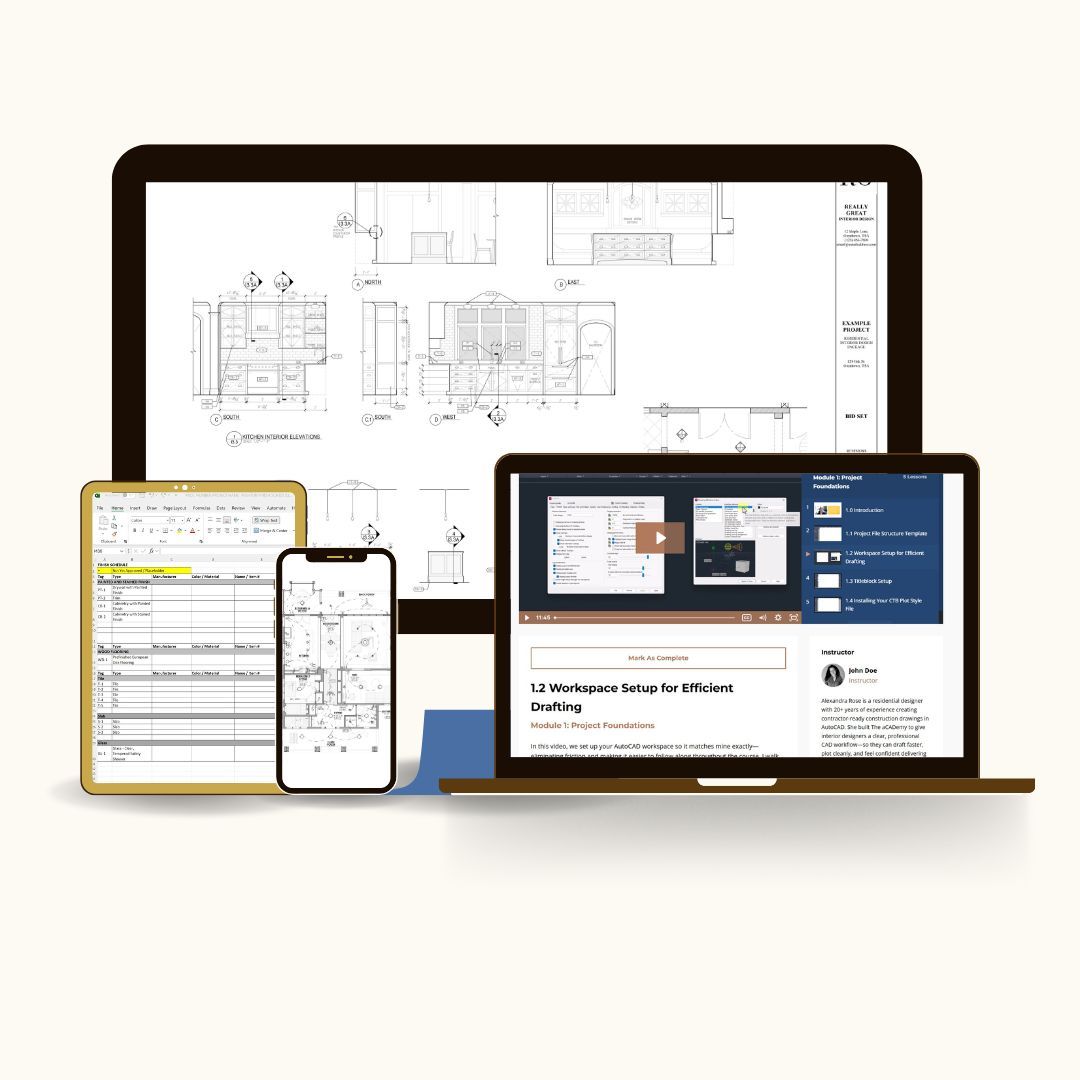
This is not just Autocad training.
The aCADemy gives you the structure, templates, and standards to stop rebuilding your workflow from scratch on every project.
You’ll learn how to set up files, keep drawings consistent, and create clearer sets that are easier to update, review, and hand off.
So your drawings are not just finished. They are professional, organized, and ready to use.
What you get inside the aCADemy:
The System
- Project templates
- Title blocks and sheet setups
- Plotting system with CTB files
The Tools
- Block libraries
- Annotation and dimension standards
- Notes and symbols
The Guidance
- Step by step video instruction
- Real world workflow guidance
- How to adapt the system to your projects
The Full Curriculum Breakdown
The aCADemy gives you the full drafting system your business should have had from the beginning
Module 1- Project Foundations
Set up your CAD workspace, project folders, title blocks, plotting standards, and file structure so every project starts clean. This module gives you the foundation most designers were never taught, so you are not trying to create professional drawings inside a messy, inconsistent setup.
Module 2- Templates and File Setup
Turn the provided templates into real project files you can use again and again. Instead of starting from a blank file, copying an old project, or guessing how to organize your drawings, you will have a clear setup process that keeps your work consistent from the beginning.
Modules 3 & 4- Floor Plans, Elevations & Core Drawings
Create coordinated floor plans, reflected ceiling plans, interior elevations, and core drawings that clearly communicate design intent. You will learn how to clean up architect files, apply proper lineweights, manage revisions, and produce drawings that look intentional instead of pieced together under pressure.
Module 5- Sheet File Setup
Organize your drawings into a professional sheet set that is easy to update, navigate, print, and send out. This is where your work starts functioning like a real construction and bid set instead of a collection of disconnected CAD files.
Module 6- Working with Blocks
Use blocks in a way that makes your files cleaner, faster, and easier to revise. You will learn how to work with the included block libraries, create your own blocks when needed, and insert them correctly so your drawings stay flexible instead of getting cluttered and difficult to manage.
Module 7- Annotations, Dimensions & Plotting
Finish your drawings with clear annotations, dimensions, schedules, revisions, and plotting standards so your sets are readable and professional when they leave your computer. This module helps reduce confusion, contractor questions, client doubt, and the quiet anxiety that your drawings are not representing your work well.
By the end of aCADemy, you will not just know more AutoCAD commands.
You will have a repeatable drafting system, professional templates, and a clearer process for producing drawing sets that support your business instead of slowing it down.
Why The aCADemy is different:

A complete system
Templates, title sheets, blocks, standards, plotting setup, and workflow guidance that work together.

Real project workflow
Built from 20+ years of residential design experience, not generic software training.

Consistent drawings
A repeatable structure for cleaner files, clearer sets, and easier project handoffs.

Clearer CAD. Better drawings. More confidence.

"Alexandra is a really good teacher who really knows her stuff. It's not an easy task to teach someone like myself who has not used AutoCAD in a while."
Hedy Simpson - Interior Designer
"Streamlined, confidence-boosting, and a huge time saver. The aCADemy has made me a better collaborator and a more efficient designer."
Carly Rose - Owner + Principal Interior Designer
Answers to Common Questions:
Do I need to be an AutoCAD expert?
Will I be building everything from scratch?
Is this for solo designers or teams?
What version of AutoCAD do I need?
How long do I have access to the course?
Is the Founders Rate refundable?

The Clarity Promise
The aCADemy is designed to give you a clear, repeatable drafting system you can use across real interior design projects. You’ll get the templates, standards, files, and instruction needed to stop relying on scattered habits and start working from a professional structure.
Because the downloadable materials are delivered immediately, enrollment is non-refundable. But if you’re unsure whether your AutoCAD level, business, or project type is the right match, reach out before enrolling and I’ll give you a direct answer.
Built from 20+ years of real residential design work
I learned AutoCAD the way many designers do: project by project, office by office, and deadline by deadline.
Eventually, I realized the real problem was not the software. It was the lack of structure behind it.
aCADemy teaches the system I wish I’d had from the start: clear templates, standards, file setup, and workflows built for real interior design projects.

Get the complete aCADemy system at the Founders Rate:
Non-refundable due to immediate access to templates and course materials.
If you’re still hunting for decent CAD blocks, this will save you hours.
20 vetted sources + weekly Studio Tools.